
Desire to learn
I am driven by a constant desire to learn, explore, and test new technologies, always with the aim of applying them in practice and turning experimentation into real-world solutions.
On this page you find an overview of my latest completed labprojects.
AI@HOME (2026)
Introduction
With the advances of 'LLM as a Service' and the latest open source development by Peter Steinberger we extended the Openclaw implementation with services for daily use. Goal is to understand how AI will be integrated in daily life and which constraints need to be put in place.

AI integrated in daily life
The current agent network contains of a two teams of three business agents, an IT agent and a private agent for each family member. Locally we run a semantic database, a browser-gui (with noVNC), a mail api, a calendar api and a crm api.
Experience
We notices three main areas of interest (and concern). First of all what information do you share with the LLM to prevent data leakage to a third-party organization. Second, what activities do you let the agent perform and how to what 'tollgates' do you put in place. Third how have transparency during the delegation of longer tasks.
Propulsion (2025)

Introduction
This project is my modern web-based remake of the classic space physics game Thrust, originally created in 1986 for the BBC Micro. My original remake in 1997 was inspired by a high school physics teacher's vector based physics and fun with Thrust on an Acorn Elecron.
Using AI coding
With the advancements in AI development, I decided to spend some time again on the remake and measure productivity gains compared to 1997. The remake took me about four weeks of part-time work. The remake preserves the core gameplay mechanics while bringing the experience to modern web browsers and cross-platform compatibility. I decided to keep the retro-sound, which is a nice walk back to memory lane for some of us.
Usage
The game is hosted on GitHub Pages and can be accessed on Github pages. It can be played with any hardware accelerated web browser. High score is limited to the used machine, for security sake.
Analyser (2025)
Introduction
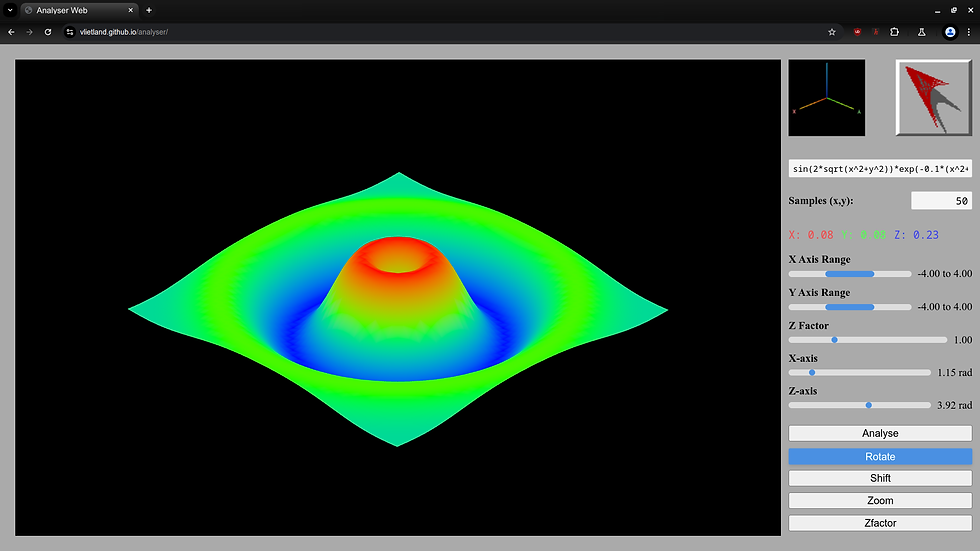
Analyser is a modern web application I rebuilt from an old DOS program. It shows 3D graphs of mathematical formulas so you can see equations instead of just reading them. The original tool was inspired by a teacher struggling to visualize math functions.
)_exp(-0_1_(x%5E2%2By%5E2)).png)
Modern coding practices
I recreated it using current web technology and modern coding practices. The result is a clean, interactive tool where you paste a formula and instantly get a 3D rendering you can rotate, zoom, and explore. This remake took about two weeks part-time and is hosted publicly for students, teachers, and anyone curious about math visuals.
Usage
The application is hosted on GitHub Pages and can be accessed here It can be used freely and may be beneficial for teachers and students.
Domotics (2023)

Introduction
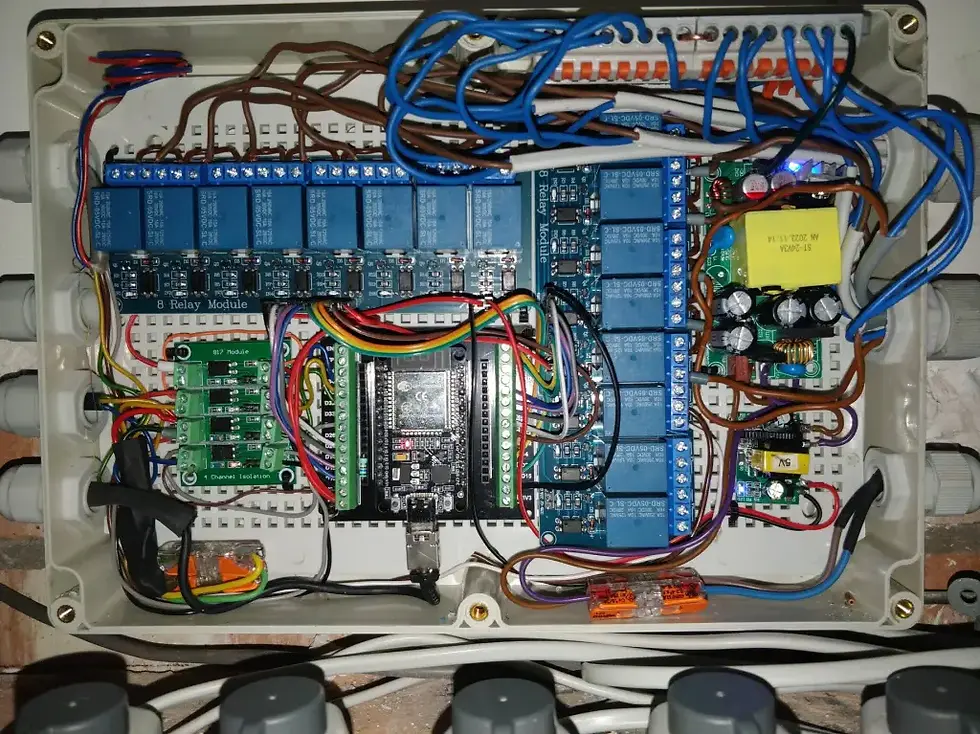
Already working with Domotics for 10 years, in 2024 I took the next step to build a house of the future. Ultimately I completed a home automation system with approximately 800 entities (sensors and actuators). The system processes about two million messages each day.
Ultimate setup
The final setup includes:
-
three Zigbee networks with sensors and actuators,
-
22 motion sensors and 8 cameras,
-
6 custom Wifi floor heating controllers with 36 zones
-
a Z-Wave network for the screens,
-
custom C-software for controllers (ESP32 + MySensors),
-
motion- and temperature-driven air conditioning,
-
smart airflow units,
-
gate and doorbell automation with camera,
-
custom intelligent sprinkler system and
-
Influx Database with AI-connectivity to optimize energy usage
Usage
The reduntant main controller is running on a Raid-0 setup with a PSU, to ensure that the system run 24-7.
DomoticzApp (2024)
Introduction
DomoticzApp is a custom built mobile Android application designed to interact with a Domoticz home automation system through a middleware server.


Modern coding practices
-
Real-time Notifications: Receive instant alerts from your Domoticz system when events are triggered (doorbell, gate bell, alarms, etc.)
-
Camera Integration: View camera feeds directly in the app with swipe navigation between multiple cameras
-
Gate Control: One-tap gate opening functionality
-
Geofence Automation: Proximity-based triggers that activate when you approach your home
-
Alert Management: Swipe-to-dismiss notification system with history
-
Customizable Settings: Configure geofence parameters, server connection details, and notification preferences
Phone
LocatiON
jv2@janvlietland.com
+31 (0) 30 - 268 53 98
Utrecht, Nederland